Apple Pencil Compatibility

Highlights is optimized for annotating with an Apple Pencil and supports advanced features like hover, double-tap and squeeze gestures. The different generations of Apple Pencil support different features and work with different devices as shown in the tables below.

Too much information? Go straight to our recommendations.

Stylus Features

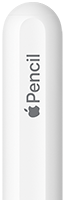
Top part of Apple Pencil first generation
Features
1st gen
2nd gen
Pro
USB-C
Logitech Crayon
Palm Rejection
Checkmark
Checkmark
Checkmark
Checkmark
Checkmark
Tilt Detection
Checkmark
Checkmark
Checkmark
Checkmark
Checkmark
Pressure Sensitivity
Checkmark
Checkmark
Checkmark
Dot
Dot
Hover*
Dot
Checkmark
Checkmark
Checkmark
Dot
Double-Tap Gesture
Dot
Checkmark
Checkmark
Dot
Dot
Squeeze Gesture
Dot
Dot
Checkmark
Dot
Dot
Barrel Roll
Dot
Dot
Checkmark
Dot
Dot
Haptic Feedback
Dot
Dot
Checkmark
Dot
Dot
Find My
Dot
Dot
Checkmark
Dot
Dot
Magnetic Attachment
Dot
Checkmark
Checkmark
Checkmark
Dot
Wireless Charging
Dot
Checkmark
Checkmark
Dot
Dot
Works Without Pairing
Dot
Dot
Dot
Dot
Checkmark

* Hover requires a compatible iPad. All iPads that support the Apple Pencil Pro support hover. It is also supported on the iPad Pro 11" (4th) / 12.9" (6th). It is not supported on the iPhone Duo.

Device Compatibility

iPhone Duo

Year
iPhone
1st gen
2nd gen
Pro
USB-C
Logitech Crayon
2026
iPhone Duo
Dot
Dot
Dot
Checkmark
Dot

iPad (USB-C)

Year
iPad
1st gen*
2nd gen
Pro
USB-C
Logitech Crayon
2026
iPad mini (A20 Pro)
Dot
Dot
Checkmark
Checkmark
Checkmark
2026
iPad Air 11" / 13" (M4)
Dot
Dot
Checkmark
Checkmark
Checkmark
2025
iPad Pro 11" / 13" (M5)
Dot
Dot
Checkmark
Checkmark
Checkmark
2025
iPad (A16)
Checkmark
Dot
Dot
Checkmark
Checkmark
2025
iPad Air 11" / 13" (M3)
Dot
Dot
Checkmark
Checkmark
Checkmark
2024
iPad mini (A17 Pro)
Dot
Dot
Checkmark
Checkmark
Checkmark
2024
iPad Air 11" / 13" (M2)
Dot
Dot
Checkmark
Checkmark
Checkmark
2024
iPad Pro 11" / 13" (M4)
Dot
Dot
Checkmark
Checkmark
Checkmark
2022
iPad (10th)
Checkmark
Dot
Dot
Checkmark
Checkmark
2022
iPad Air (5th)
Dot
Checkmark
Dot
Checkmark
Checkmark
2022
iPad Pro 11" (4th) / 12.9" (6th)
Dot
Checkmark
Dot
Checkmark
Checkmark
2021
iPad mini (6th)
Dot
Checkmark
Dot
Checkmark
Checkmark
2021
iPad Pro 11" (3rd) / 12.9" (5th)
Dot
Checkmark
Dot
Checkmark
Checkmark
2020
iPad Air (4th)
Dot
Checkmark
Dot
Checkmark
Checkmark
2020
iPad Pro 11" (2nd) / 12.9" (4th)
Dot
Checkmark
Dot
Checkmark
Checkmark
2018
iPad Pro 11" (1st) / 12.9" (3rd)
Dot
Checkmark
Dot
Checkmark
Checkmark

* Requires a USB-C to Apple Pencil Adapter to charge.

iPad (Lightning)

Year
iPad
1st gen
2nd gen
Pro
USB-C
Logitech Crayon
2021
iPad (9th)
Checkmark
Dot
Dot
Dot
Checkmark
2020
iPad (8th)
Checkmark
Dot
Dot
Dot
Checkmark
2019
iPad (7th)
Checkmark
Dot
Dot
Dot
Checkmark
2019
iPad Air (3rd)
Checkmark
Dot
Dot
Dot
Checkmark
2019
iPad mini (5th)
Checkmark
Dot
Dot
Dot
Checkmark
2018
iPad (6th)
Checkmark
Dot
Dot
Dot
Checkmark
2017
iPad Pro 10.5"
Checkmark
Dot
Dot
Dot
Dot
2017
iPad Pro 12.9" (2nd)
Checkmark
Dot
Dot
Dot
Dot
2017
iPad (5th)
Dot
Dot
Dot
Dot
Dot
2016
iPad Pro 9.7"
Checkmark
Dot
Dot
Dot
Dot
2015
iPad Pro 12.9" (1st)
Checkmark
Dot
Dot
Dot
Dot

Recommendations

1. Apple Pencil Pro

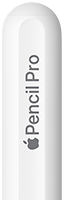
The Apple Pencil Pro is the best stylus for artists and pro workflows, no questions asked. However, it is the among the most expensive and not the most compatible. If you have a device that supports it and can stomach the price, get the Apple Pencil Pro.

2. Apple Pencil (1st & 2nd gen)

If you have an older iPad with USB-C that supports the Apple Pencil (2nd gen), that is your best option. For even older iPads with Lightning, the Apple Pencil (1st gen) is the best option as long as you can live with the round design.

3. Apple Pencil (USB-C) & Others

The Apple Pencil (USB-C) is the most basic Apple Pencil, but also the most compatible. If you have an iPhone Duo, the Apple Pencil (USB-C) is your only option. If you plan to use the stylus only for Highlights and don't care about power-user features, it is a solid choice, but not necessarily a good value.

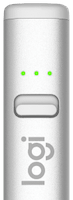
The Logitech Crayon retails for slightly less than the Apple Pencil (USB-C), but has been announced to be end of sale. Only get it if you like the design or can get it at a good price.

If you are on a budget, there are tons of inexpensive third-party styluses (or "Apple Pencil clones") that imitate how the Logitech Crayon works. Some can even magnetically charge and use Bluetooth to report battery level. They can be great value, but quality can be hit or miss, so make sure they are well-reviewed.

]()

Try Highlights for Free!

Black app store badge