Apple Pencil Compatibility
Highlights is optimized for annotating with an Apple Pencil and supports advanced features like hover, double-tap and squeeze gestures. The different generations of Apple Pencil support different features and work with different devices as shown in the tables below. If you are curious as to why, we have an entire page dedicated to how the Apple Pencil works and the differences between hardware generations.
Too much information? Go straight to our recommendations or FAQs.
Stylus Features
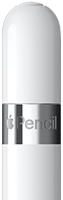 |
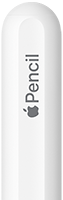 |
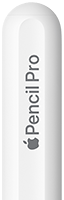 |
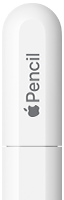 |
 |
|
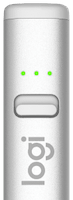
| Features | 1st gen | 2nd gen | Pro | USB-C | Logitech Crayon |
|---|---|---|---|---|---|
| Palm Rejection |  |
 |
|
|
|
| Tilt Detection | |
|
|
|
|
| Pressure Sensitivity | |
|
|
 |
|
| Hover† |
 ‡ |
|
|
|
|
| Double-Tap Gesture | |
|
|
|
|
| Squeeze Gesture | |
|
|
|
|
| Barrel Roll | |
|
|
|
|
| Haptic Feedback | |
|
|
|
|
| Find My | |
|
|
|
|
| Magnetic Attachment | |
|
|
|
|
| Wireless Charging | |
|
|
|
|
| Works Without Pairing | |
|
|
|
|
† Hover requires a compatible iPad. All iPads that support the Apple Pencil Pro support hover. It is also supported on the iPad Pro 11" (4th) / 12.9" (6th). It is not supported on the iPhone Duo.
‡ Not officially supported, but if you pair the Apple Pencil (1st gen) to an iPad that supports hover using this guide, it will work.
Device Compatibility
iPhone Duo
| Year | iPhone | 1st gen | 2nd gen | Pro | USB-C | Logitech Crayon |
|---|---|---|---|---|---|---|
| 2026 | iPhone Duo | |
|
|
|
|
iPad (USB-C)
| Year | iPad | 1st gen | 2nd gen | Pro | USB-C | Logitech Crayon |
|---|---|---|---|---|---|---|
| 2026 | iPad mini (A20 Pro) | ** |
|
|
|
|
| 2026 | iPad Air 11" / 13" (M4) | ** |
|
|
|
|
| 2025 | iPad Pro 11" / 13" (M5) | ** |
|
|
|
|
| 2025 | iPad (A16) | * |
|
|
|
|
| 2025 | iPad Air 11" / 13" (M3) | ** |
|
|
|
|
| 2024 | iPad mini (A17 Pro) | ** |
|
|
|
|
| 2024 | iPad Air 11" / 13" (M2) | ** |
|
|
|
|
| 2024 | iPad Pro 11" / 13" (M4) | ** |
|
|
|
|
| 2022 | iPad (10th) | * |
|
|
|
|
| 2022 | iPad Air (5th) | ** |
|
|
|
|
| 2022 | iPad Pro 12.9" (6th) | ** |
|
|
|
|
| 2022 | iPad Pro 11" (4th) | ** |
|
|
|
|
| 2021 | iPad mini (6th) | ** |
|
|
|
|
| 2021 | iPad Pro 12.9" (5th) | ** |
|
|
|
|
| 2021 | iPad Pro 11" (3rd) | ** |
|
|
|
|
| 2020 | iPad Air (4th) | ** |
|
|
|
|
| 2020 | iPad Pro 12.9" (4th) | ** |
|
|
|
|
| 2020 | iPad Pro 11" (2nd) | ** |
|
|
|
|
| 2018 | iPad Pro 12.9" (3rd) | ** |
|
|
|
|
| 2018 | iPad Pro 11" (1st) | ** |
|
|
|
|
* Requires a USB-C to Apple Pencil Adapter to pair and charge.
** Not officially supported, but the Apple Pencil (1st gen) can be paired to unsupported iPads using this guide. It also needs to be re-paired every time you charge the stylus.
iPad (Lightning)
| Year | iPad | 1st gen | 2nd gen | Pro | USB-C | Logitech Crayon |
|---|---|---|---|---|---|---|
| 2021 | iPad (9th) | |
|
|
|
|
| 2020 | iPad (8th) | |
|
|
|
|
| 2019 | iPad (7th) | |
|
|
|
|
| 2019 | iPad Air (3rd) | |
|
|
|
|
| 2019 | iPad mini (5th) | |
|
|
|
|
| 2018 | iPad (6th) | |
|
|
|
|
| 2017 | iPad Pro 10.5" | |
|
|
|
|
| 2017 | iPad Pro 12.9" (2nd) | |
|
|
|
|
| 2017 | iPad (5th) | |
|
|
|
|
| 2016 | iPad Pro 9.7" | |
|
|
|
|
| 2015 | iPad Pro 12.9" (1st) | |
|
|
|
|
Recommendations
1. Apple Pencil Pro
The Apple Pencil Pro is the best stylus for artists and pro workflows, no questions asked. However, it is among the most expensive and not the most compatible. If you have a device that supports it and can stomach the price, get the Apple Pencil Pro.
2. Apple Pencil (1st & 2nd gen)
If you have an older iPad with USB-C that supports the Apple Pencil (2nd gen), that is your best option. For even older iPads with Lightning, the Apple Pencil (1st gen) is the best option as long as you can live with the round design.
3. Apple Pencil (USB-C) & Others
The Apple Pencil (USB-C) is the most basic Apple Pencil, but also the most compatible. If you have an iPhone Duo, the Apple Pencil (USB-C) is your only option. If you plan to use the stylus only for Highlights and don’t care about power-user features, it is a solid choice, but not necessarily a good value.
The Logitech Crayon retails for slightly less than the Apple Pencil (USB-C), but has been announced to be end of sale. Only get it if you like the design or can get it at a good price.
If you are on a budget, there are tons of inexpensive third-party styluses (or “Apple Pencil clones”) that imitate how the Logitech Crayon works. Some can even magnetically charge and use Bluetooth to report battery level. They can be great value, but quality can be hit or miss, so make sure they are well-reviewed.
Frequently Asked Questions
- Does the iPhone support Apple Pencil?
- Which Apple Pencil works with the iPhone Duo?
- Do Logitech Crayon and Apple Pencil clones work with the iPhone Duo?
- Does the iPhone Duo support Apple Pencil hover?
- Does the iPad (A16) support the Apple Pencil Pro?
- Which Apple Pencils work with the iPad (A16)?
- Does the iPad (10th gen) support the Apple Pencil (2nd gen)?
- Which Apple Pencils work with the iPad (10th gen)?
- Does the Apple Pencil (USB-C) charge wirelessly?
- Does the Apple Pencil support pressure sensitivity?
- Does the Apple Pencil support Find My?
- What devices support the Apple Pencil Pro?
- Why choose the Apple Pencil Pro?
- What are the downsides of the Apple Pencil Pro?
- How does the Apple Pencil Pro charge?
- Why choose the Apple Pencil (USB-C)?
- What devices support the Apple Pencil (2nd gen)?
- Is the Logitech Crayon as good as the Apple Pencil?
- What iPads does the Logitech Crayon work with?
- Do Apple Pencil clones / dupes / knockoffs actually work?
- Are Apple Pencil clones just as good?
Does the iPhone support Apple Pencil?
Only the iPhone Duo and only with the Apple Pencil (USB-C). The iPhone Duo must be running iOS 27.2 or later.
Which Apple Pencil works with the iPhone Duo?
Only the Apple Pencil (USB-C). In our testing no other Apple Pencil works, not even the 1st gen that unofficially works with almost any iPad.
Do Logitech Crayon and Apple Pencil clones work with the iPhone Duo?
No, unlike the iPad, the iPhone Duo does not support unpaired styluses including Logitech Crayon and Apple Pencil clones.
Does the iPhone Duo support Apple Pencil hover?
No, the only advanced feaure supported by the iPhone Duo is tilt sensitivity.
Does the iPad (A16) support the Apple Pencil Pro?
No. The Apple Pencil Pro requires an iPad Pro, iPad Air or iPad mini model from 2024 or later.
Which Apple Pencils work with the iPad (A16)?
The Apple Pencil (USB-C) and Apple Pencil (1st gen) with the USB-C to Apple Pencil Adapter. The Apple Pencil (2nd gen) and Apple Pencil Pro do not.
Does the iPad (10th gen) support the Apple Pencil (2nd gen)?
No. The Apple Pencil (2nd gen) pairs and charges through a magnetic connector, which the iPad (10th gen) does not have.
Which Apple Pencils work with the iPad (10th gen)?
The Apple Pencil (USB-C) and Apple Pencil (1st gen) with the USB-C to Apple Pencil Adapter. The Apple Pencil (2nd gen) and Apple Pencil Pro do not.
Does the Apple Pencil (USB-C) charge wirelessly?
No. The Apple Pencil (USB-C) can attach magnetically, but pairs and charges through a USB-C cable.
Does the Apple Pencil support pressure sensitivity?
Yes, except for the Apple Pencil (USB-C).
Does the Apple Pencil support Find My?
Only the Apple Pencil Pro supports Find My.
What devices support the Apple Pencil Pro?
The Apple Pencil Pro works with iPad Pro, iPad Air and iPad mini models from 2024 or later: iPad Pro (M4, M5), iPad Air (M2, M3, M4) and iPad mini (A17 Pro, A20 Pro). It does not work with the base iPad or the iPhone Duo.
Why choose the Apple Pencil Pro?
The Apple Pencil Pro is the best stylus for artists and pro workflows. It supports pressure sensitivity, gestures, haptic feedback, barrel roll and Find My. It is the successor to 2nd gen and a big step up from the Apple Pencil (USB-C).
What are the downsides of the Apple Pencil Pro?
Price and compatibility. It only works with a newer subset of iPads and is only worth the price if you need the additional features.
How does the Apple Pencil Pro charge?
It charges wirelessly by attaching magnetically to the side of a compatible iPad, the same way it pairs. It has no additional charging port.
Why choose the Apple Pencil (USB-C)?
If you need it for the iPhone Duo, or only want the basics but want an Apple-made stylus.
What devices support the Apple Pencil (2nd gen)?
The iPad Pro, iPad Air and iPad mini models released between 2018 and 2022, the base iPad is not supported: iPad Pro 11” (1st–4th gen), iPad Pro 12.9” (3rd–6th gen), iPad Air (4th & 5th gen), and iPad mini (6th gen).
Is the Logitech Crayon as good as the Apple Pencil?
Not in terms of features, but it might be a better value and does not require pairing. It does have tilt sensitivity like the Apple Pencil (USB-C), but not pressure sensitivity like the other Apple Pencils.
What iPads does the Logitech Crayon work with?
The Logitech Crayon works with any iPad from 2018 and later. The Crayon comes with either a Lightning or USB-C version, but the port is only used for charging and will work as long as you have the right cable.
Do Apple Pencil clones / dupes / knockoffs actually work?
Yes, but quality can be hit or miss and they do not work on the iPhone Duo. Clones seem to have reverse engineered the Logitech Crayon and work without pairing.
Are Apple Pencil clones just as good?
A good clone can be on par with an Apple Pencil (USB-C) or Logitech Crayon at a much lower price, but quality can be poor, so read the reviews. If you are interested in pressure sensitivity or other pro features, you want the Apple Pencil Pro (or 1st / 2nd gen depending on your device).